
This Help Page will cover..
Loyalty and Corporate: Overview and Differences
How Do I Set Up Loyalty?
How Do I Assign a Patient to a Loyalty Programme?
How Do I Apply a Loyalty Discount?
Reporting Loyalty Scheme Transactions
Loyalty and Corporate: Overview and Differences
Both of these will affect the amount paid by a Patient assign to them.
What is a Loyalty Plan?
Loyalty in NOVA allows patients to be assigned to plan where they get (percentage) discounts against their purchases, based on the Sales Group.
When an item is sold on the Till or a Dispense is created, loyalty discounts are applied.
A Discounts report can then be created through Reports - Transaction to itemise all the discounts given over the required period, and a search is available through Reports, to find which patients are on Loyalty schemes.
Loyalty is found under Menu - Settings - Transactions - Loyalty
Initially, please continue to - LINK
What is Corporate?
"Corporate" allows you to add patients to companies and groups.
This would be used for instances where you need to bill a Company/Agency later for payment, i.e Free Worker Safety Spectacles, outsourced NHS work.
Corporate is found under Menu - Settings - Transactions - Corporate
For more Help on Setting up and Using Corporate, follow this - Corporate Help Page Link
___________________________________________________________________
How Do I Set Up Loyalty?
Click to Menu - Settings - Transactions - Corporate.
The picture below shows what you will see:
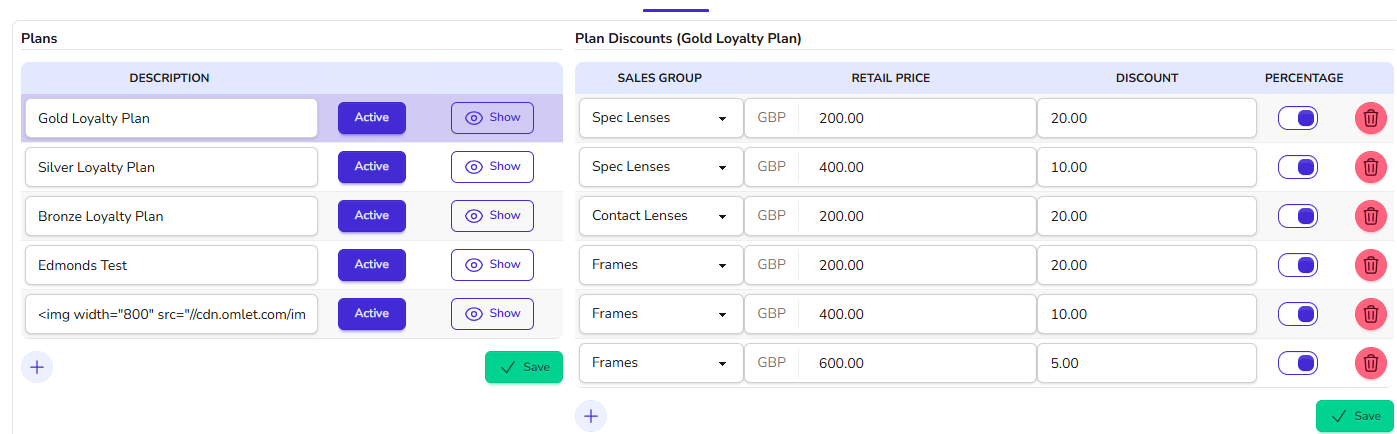 On the Left is name of Plan, and the right is the Details of the Highlighted Plan, Gold in this case.
On the top right, create the names of your Loyalty Plans, for example "Gold Plan", "Silver", etc.
On the left table, set up the discount to be applied at the Transaction / Dispense page.
In the example above:
- Frames up to and including £200.00 get a discount of 20%.
- Frames up to and including £400.00 get a discount of 10%. (Note - this 10% is for the full amount - it is not banded)
- Spec Lenses up to and including £200.00 get a discount of 20%.
- Spec Lenses up to and including £400.00 get a discount of 10%.
We are now ready to assign patients to the plan. Please see How Do I Assign a Patient to a Loyalty Programme?
How Do I Assign a Patient to a Loyalty Programme?
To do this, click Update on a Patient Record.
Scroll down slightly to see Corporation and Loyalty ;
Click onto the Button to the right to Assign to a Loyalty Plan from the choices in the Pop-up window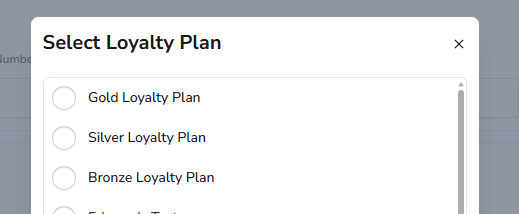
and then 'Select' below to confirm. Press Save to confirm the changes to Patient
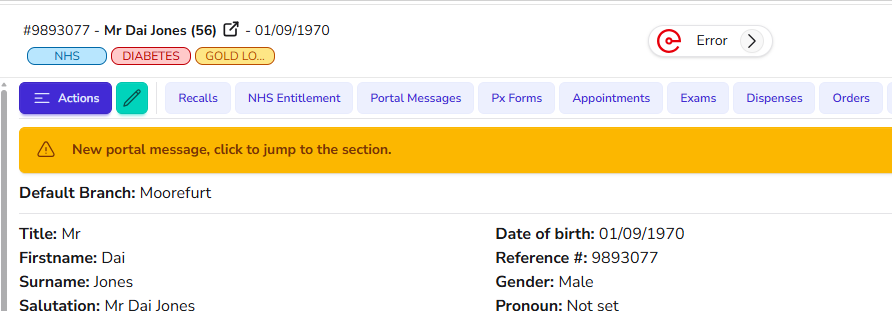
The Plan is then shown as a Label in Colour at the Top of the Patient record, "Gold" in this case :-
How Do I Apply a Loyalty Discount?
When an item is sold on the Till or Dispensed, the discount will automatically be applied.
On the example receipt below, the Frame is Discounted by 20%
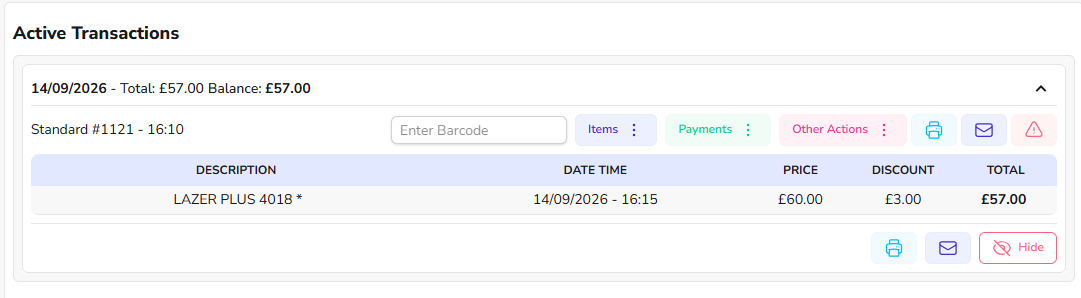
Hovering over the Discount gives details of it :-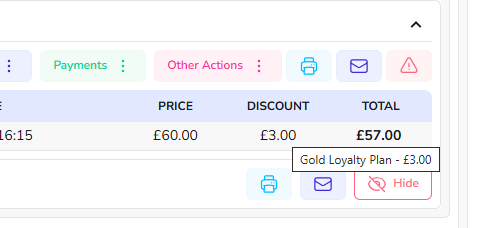
Reporting Loyalty Scheme Transactions
To report go to Menu > Report > Transactions
Choose this Report, for example :-
This imaige below is how the Report will look :-
(Click on Image to Expand and view this wide image better)

The 'Type' Column will detail the Plan for the Discount.
For any further help, call Optinet Support - 0800 3102400 or email us at support@optinetuk.com