
 | How to find the 'App Version Number' The application version number is shown below the 'Log In' button on the login screen, it begins with the date in the format 'YYYY.MM.DD'
|

This document contains the latest NOVA changes
View previous changes by clicking here
W/C: 29-06-2026
Enhancements
# | Category | Summary |
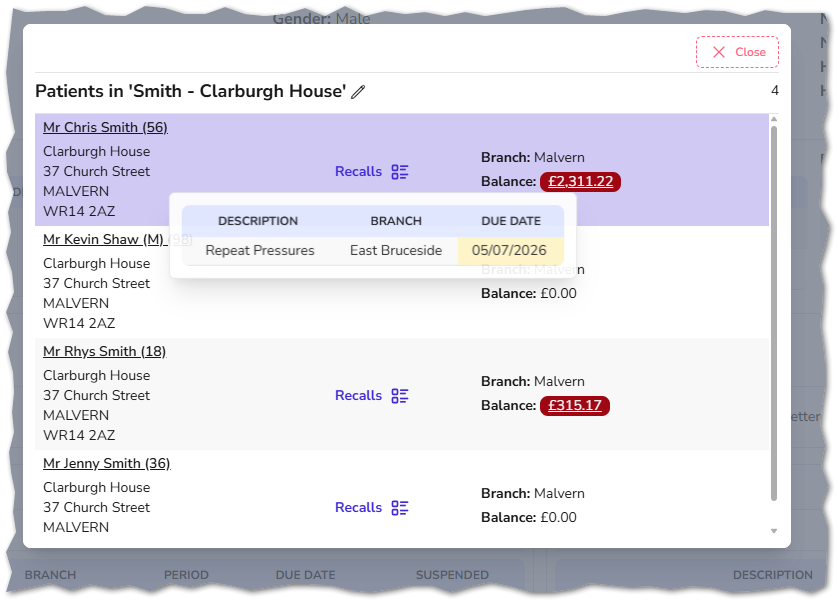
| 4976 | Patient Record | The following enhancements have been implemented to improve visibility, navigation, and overall efficiency within the Family Management window:
 |
| 5004 | Appointments | When reviewing and confirming online bookings, a new hover option is now available. This displays the suggested patient’s address, phone numbers, and email addresses, making it easier to select the correct patient record. Additional options have been introduced to allow patient-supplied information to be quickly reviewed and updated or added directly to their record. 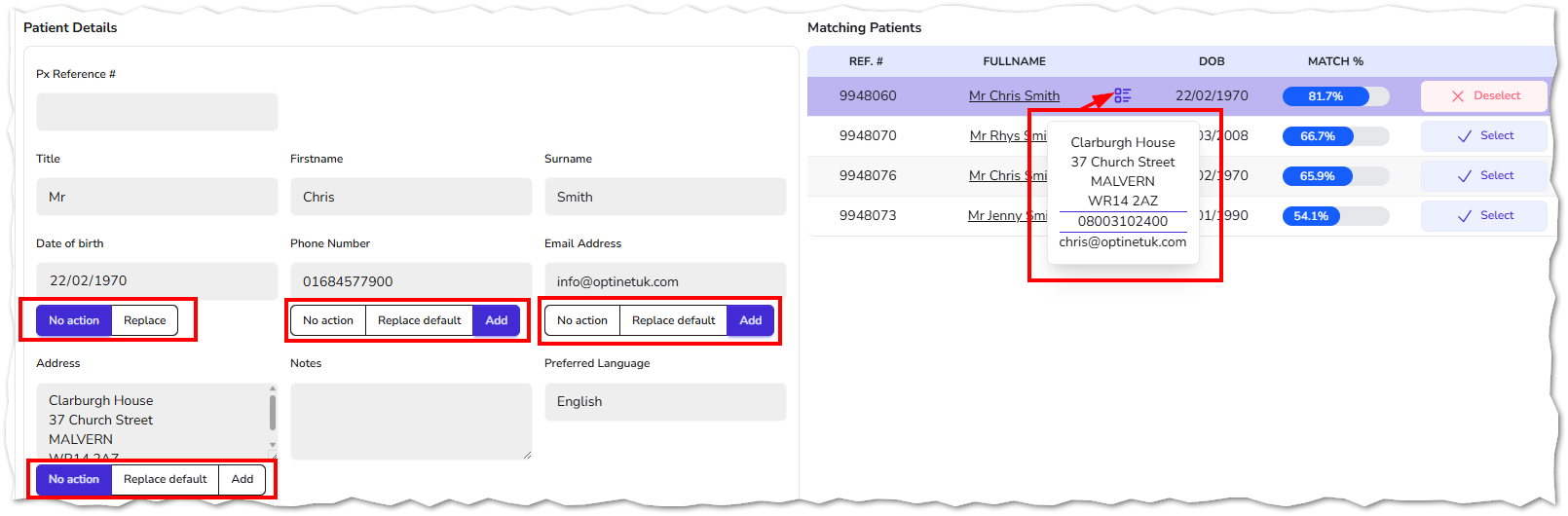 |
| 5406 | Appointments | An enhancement has been introduced when confirming online booking requests to ensure the allocated time aligns with the selected appointment reason: Appointment Length Validation When confirming an online booking request, the system now checks whether the scheduled slot can accommodate the full duration required for the requested appointment reason. If sufficient time is not available, the system will default to using the originally requested slot length. |
| 5824 | Patient Record | The patient notes table layout has been updated, with the creation date and time now displayed as the first column. This change improves readability and makes it easier to review notes in chronological order.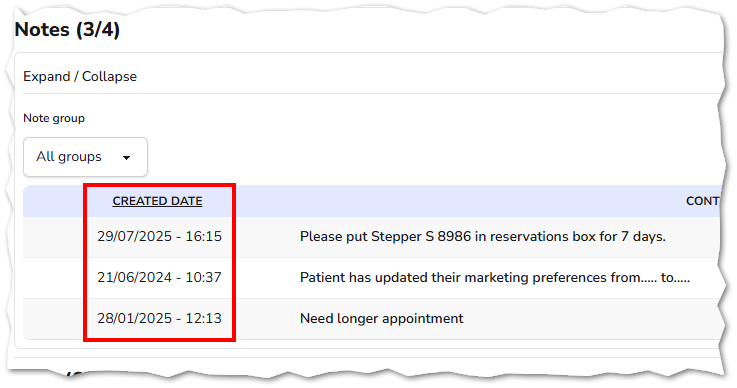 |
| 5902 | Stock | Stock Take Report – CSV Export The Stock Take report can now be exported in CSV format, enabling it to be opened in third-party applications such as Microsoft Excel.  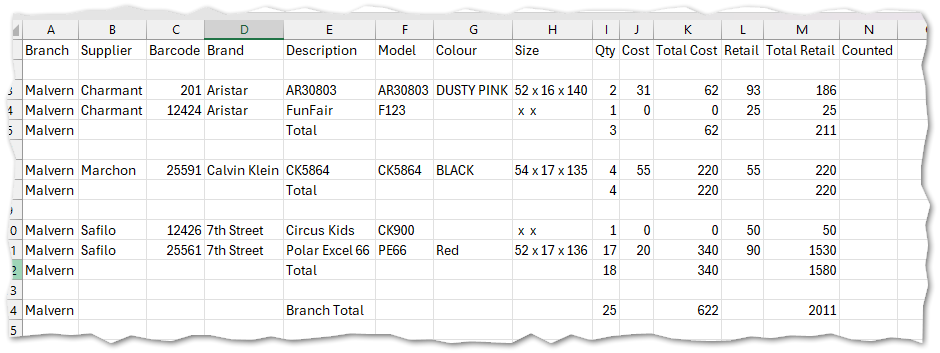 |
| 6223 | Appointments | Slot Extension Behaviour When an appointment slot is extended, the system now intelligently fills any remaining gaps to keep the schedule aligned with the days default slot lengths. Example:
What happens next:
|
| 6294 | Vouchers | To support organisations with practices across multiple regions, vouchers can now be downloaded based on the region configured in the branch settings.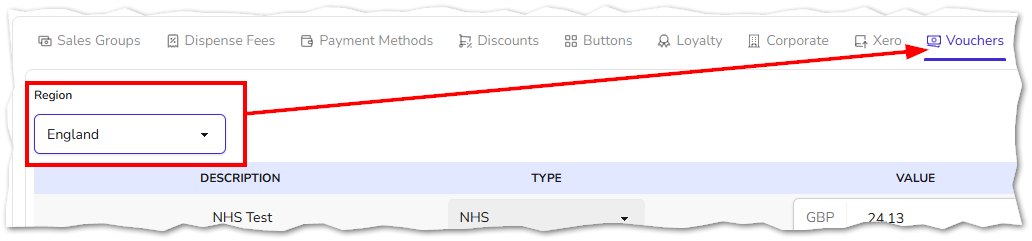 |
| 6349 | Appointments | Non-Bookable Slots – Tooltip Enhancement Hovering over a non-bookable appointment now displays a tooltip showing who marked the slot as non-bookable and when. Users can quickly view the user and timestamp associated with a non-bookable slot directly from the appointment screen. This improves transparency and accountability. 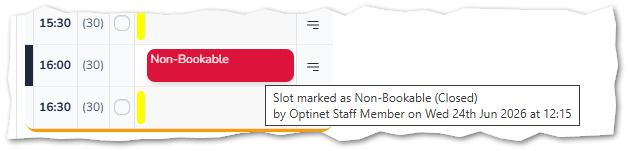 |
| 6377 | Recalls | Updated the messaging shown when dismissing recalls to clearly indicate whether the action will apply to all recalls or only the selected items. |
| 6378 | Dashboards | Updated the clinical dashboard so that AER and DER calculations now include only sight exam records, ensuring improved accuracy and consistency in reported metrics. |
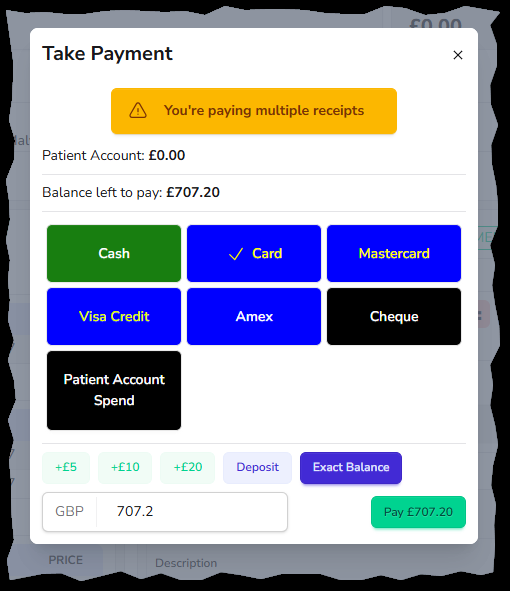
| 6384 | Dispense | Payments – Multiple Outstanding Receipts Prompt When taking a payment against multiple receipts with outstanding balances, the system now displays a prompt to notify the user. This improves clarity during payment processing, helping users avoid mistakes and ensuring payments are allocated correctly. It also reduces the risk of overlooking outstanding balances and supports more accurate financial handling.
|
| 6385 | Patient Record | The appointments section now features a table view, offering a clearer and more structured overview of past and future appointments, including their status (failed / cancelled / upcoming / attended).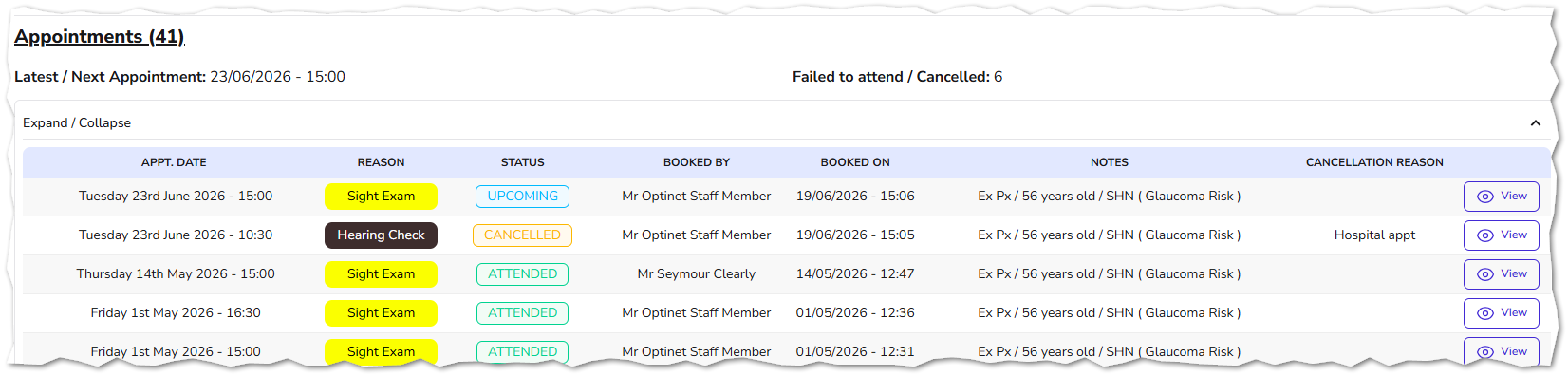 |
| 6392 | Orders | The tray number has been added to the table on the 'All Orders' page.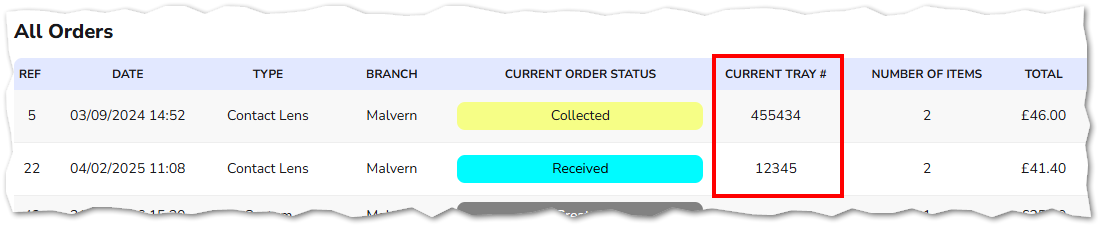 |
Fixes
# | Category | Summary |
| 6376 | Appointments | Resolved a concurrency issue with day notes where text could be lost if notes were edited simultaneously by another staff member or from another practice. |