
Help for quicker signing of forms in Nova.
At the top of Nova there is a button that allows you to store a signature for your login, this is how Optom would store a signature to use on forms for it is saved until end of day and can be added to forms quickly..
(If you know Flex this was called "Sign for the Day")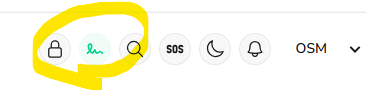
The stored signature in there can be added to each form - see below..
(see Signature Capture page if you need Help with that)
Once in an eGOS form it will show this saved signature, Highlighted in green as below;
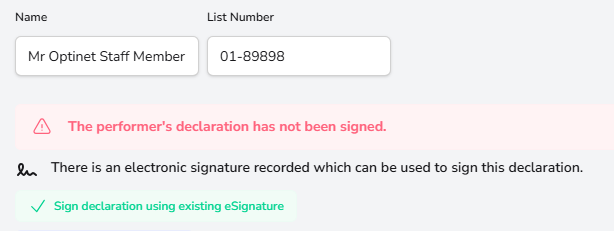
and dark green as you chose it..
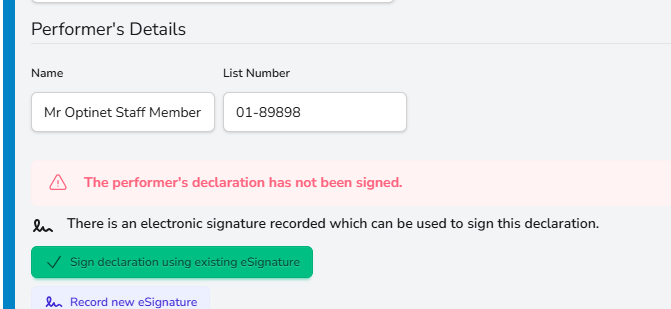
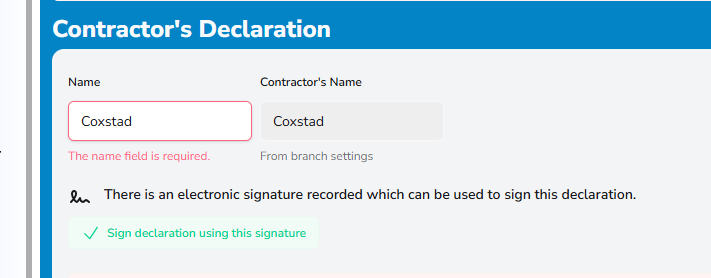 Select this with the green highlighted as before.
Call Support on the number below if this signature is missing we can help with adding it to your Nova.
For any further help, call Optinet Support - 0800 3102400 or email us at support@optinetuk.com