
 | How to find the 'App Version Number' The application version number is shown below the 'Log In' button on the login screen, it begins with the date in the format 'YYYY.MM.DD'
|

This document contains the latest NOVA changes
View previous changes by clicking here
13-10-2026
Enhancements
# | Category | Summary |
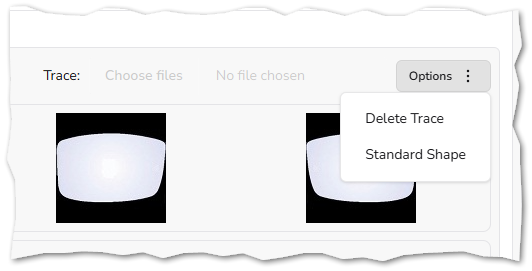
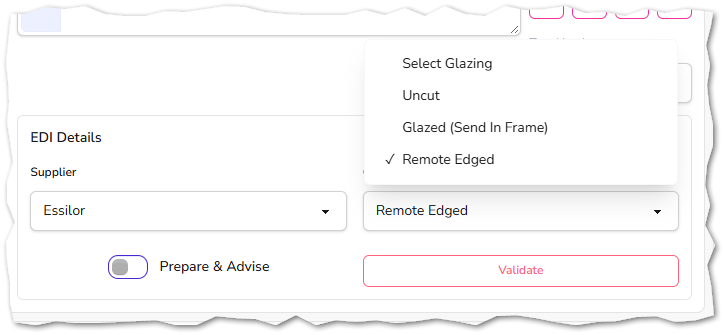
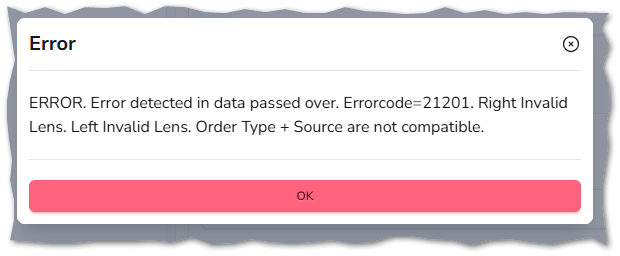
| 4840 | Ordering | PILOT SITES WANTED: Contact Support For More Information NOVA now supports sending orders directly to suppliers via the Hawkstone system.
   |
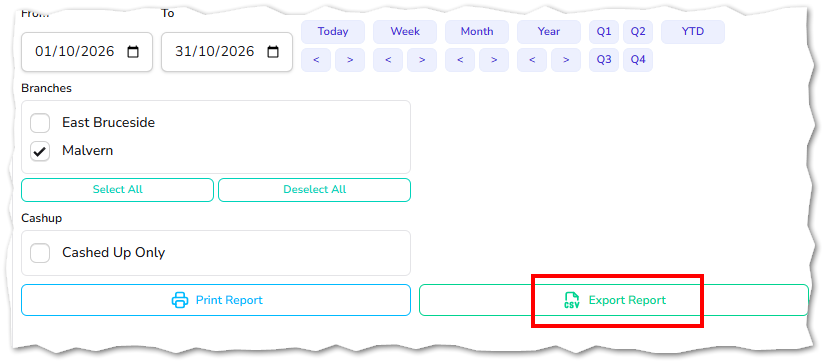
| 5024 | Reporting | Export functionality has been added to the following reports, making it easier to analyse, share and archive reporting data outside of NOVA:
 |
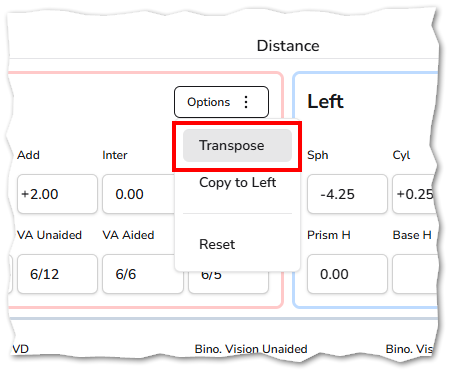
| 5597 | Examinations | The Transpose option within Examinations and Dispense has been enhanced. Previously, selecting Transpose only affected the eye on which the action was triggered. The functionality has now been updated so that both the right and left eye prescriptions are transposed simultaneously, ensuring prescription data remains consistent and reducing the need to transpose each eye individually.
|
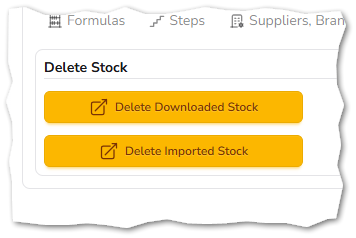
| 6239 | Stock |
|
| 6373 | Data Mining | Performance improvements have been made when using transaction filters. |
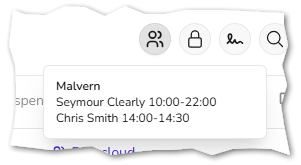
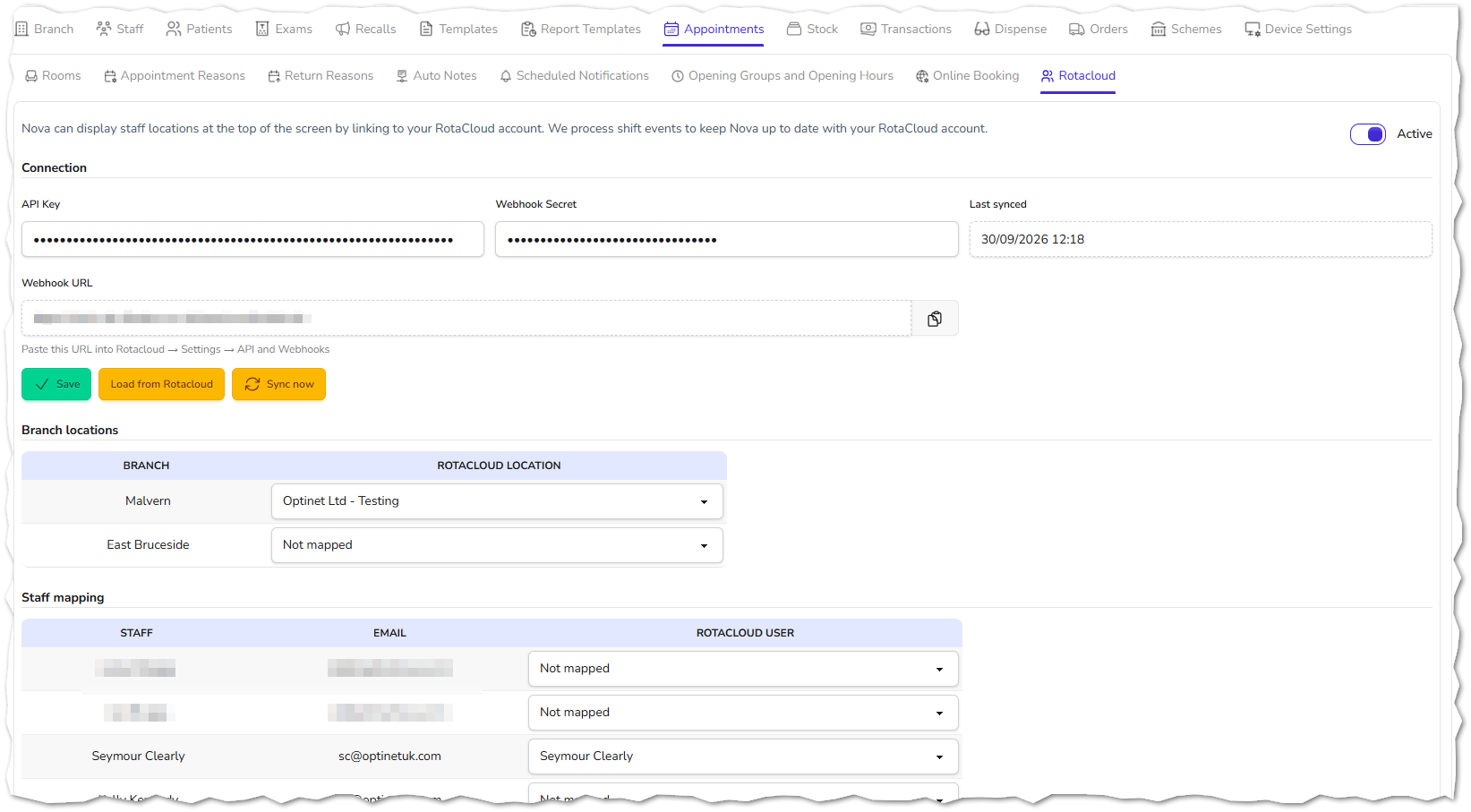
| 6535 | RotaCloud | NOVA now integrates with RotaCloud, the cloud-based workforce management platform, allowing staff shift information to be displayed directly within NOVA. What's New
|
| 6550 | Petty Cash | The Save button is now disabled while a save request is being processed. This prevents users from clicking the button multiple times and accidentally creating duplicate petty cash records. |
| 6551 | System | A Select/Deselect All option has also been added to all areas that include branch selection, making it quicker and easier to manage multiple branches at once. This reduces the time required to configure settings, apply changes, or generate reports across your organisation, while helping to minimise missed branch selections and improve overall efficiency. 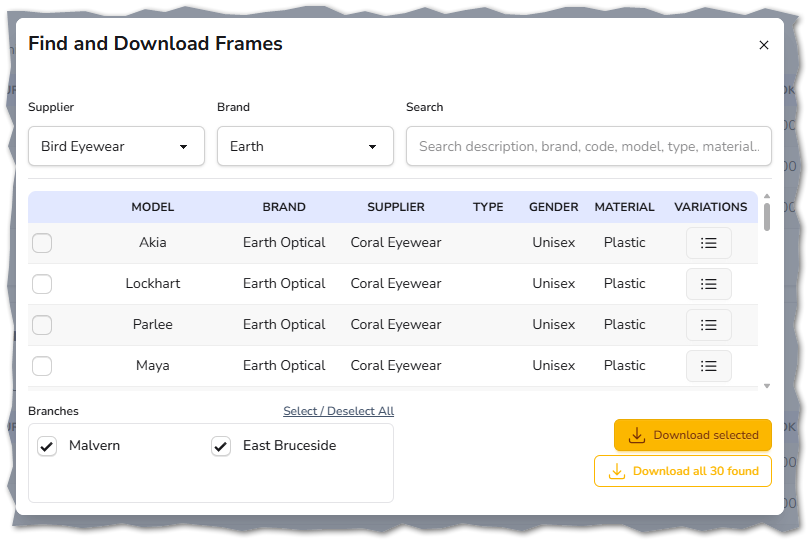 |
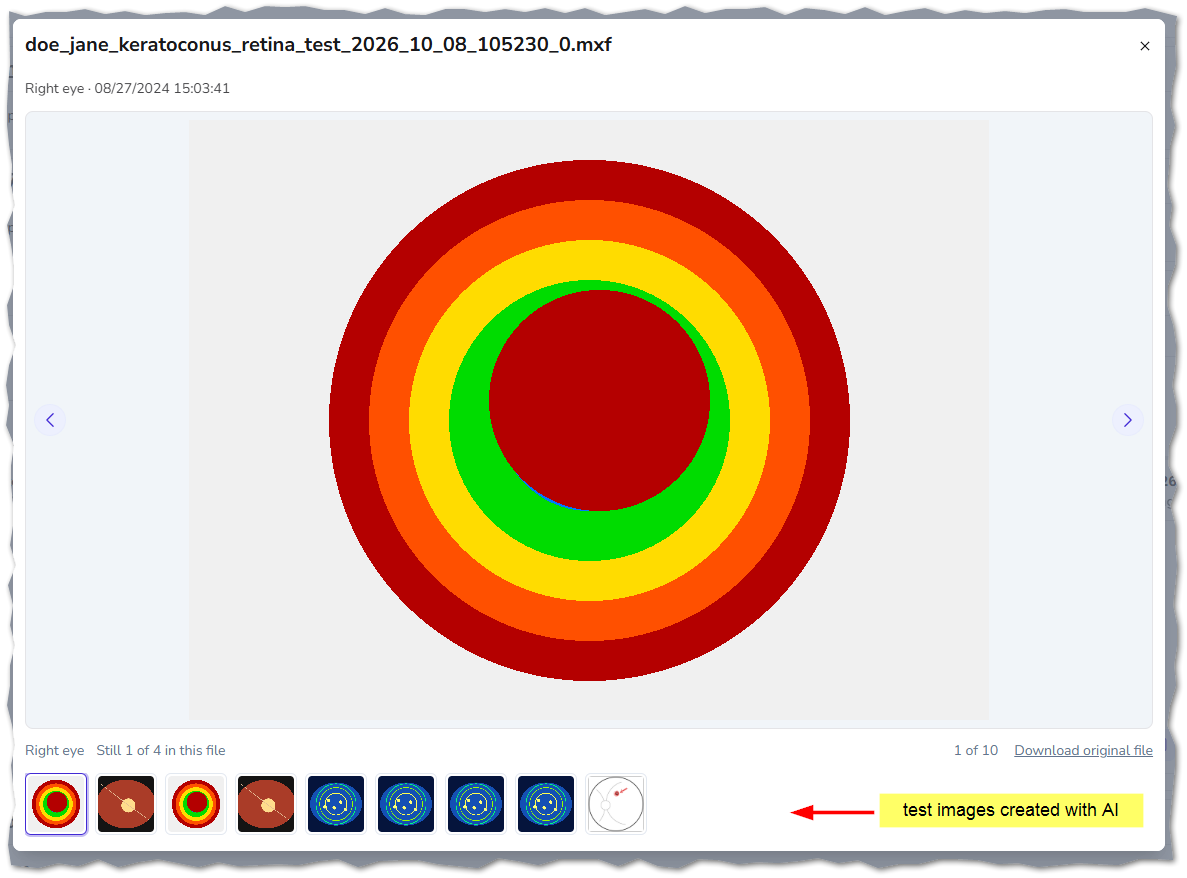
| 6563 | Patient Files | NOVA now supports image files created by Medmont Studio, including MXF files that can contain multiple patient images. What's New
|
| 6572 | Examinations | NOVA now allows multiple grading tabs to be created and recorded within the same examination record. This enhancement enables clinicians to record and review different grading assessments within a single examination without needing to overwrite, combine, or omit grading information. It provides greater flexibility when documenting multiple ocular findings and supports a more comprehensive clinical record. 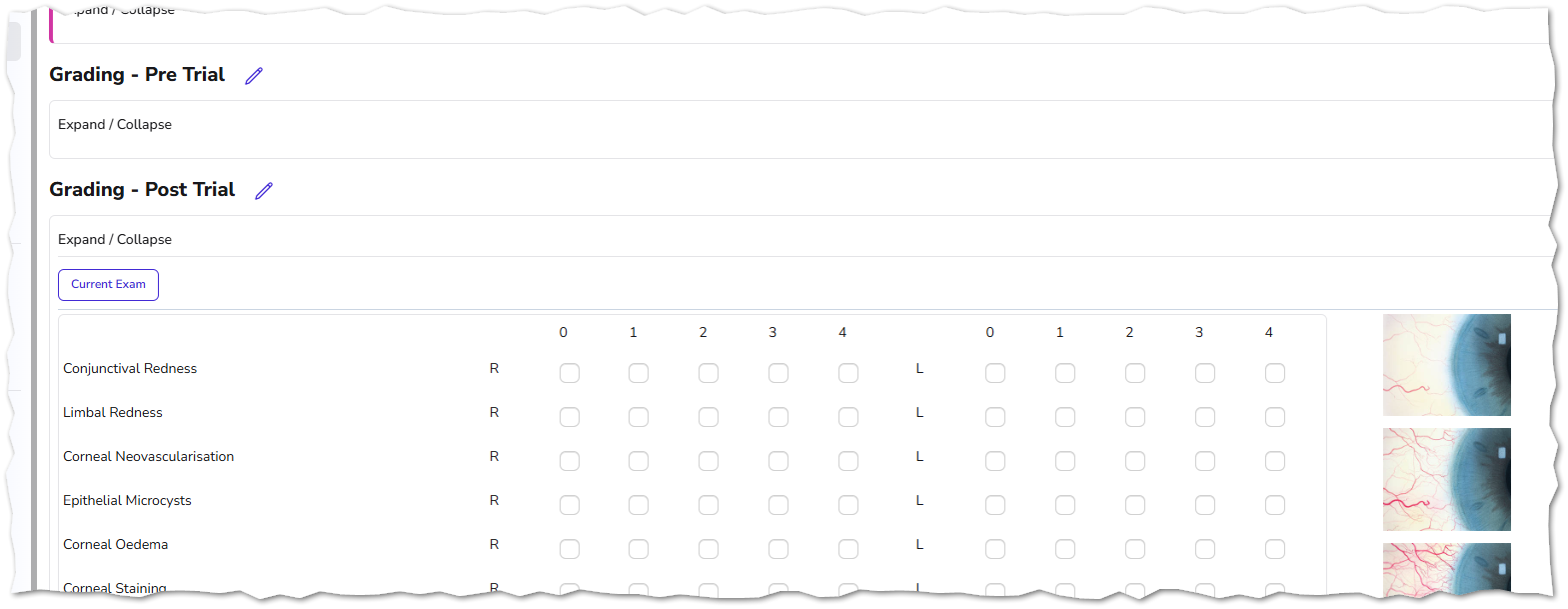 |
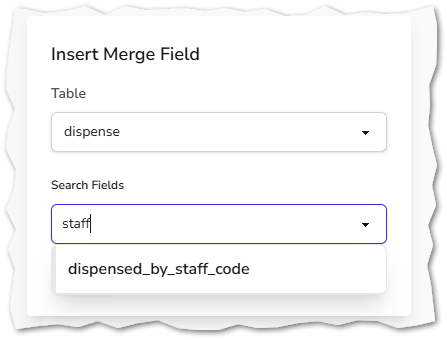
| 6580 6591 | Merge Fields | New merge fields have been added:
|
Fixes
# | Category | Summary |
| 5339 | Patient Record | Addresses an issue where the salutation isn't updated when the gender is changed, causing issues when adding family members. |
| 5822 | Patient Families | Addresses an issue where patient records created from another family member had no recall preferences added - letter is now added as a minimum if an address is copied across. |
| 5985 | Examinations | Addresses an issue where the merge fields for the contact lens Rx were not pulling the correct data when reading from a combined ST & CL examination. |
| 5989 | Examinations | Addresses an issue where the toric alignment component wasn't visible with dark mode active. |
| 6244 | Examinations | Addresses an issue where special characters were not being escaped correctly. |
| 6270 | Patient Record | Addresses an issue where opening a task linked to a patient note was adding the user as an assignee. |
| 6295 | Examinations | Addresses an issue where the error message displayed when no printer has been selected for the Exams section is hidden immediately by the Exam Saved info message. |
| 6416 | Data Mining | Addresses an issue where patient tags were not being included in the export file even when they were included in the columns. |
| 6428 | Examination Audit | Addresses an issue where the report was missing PD's and the notes from ocular measurements and contact lens fitting. |
| 6435 | Patient Record | Addresses an issue where the patient mobile number is not indexed after adding an address using the postcode lookup feature - when creating a new patient. |
| 6485 | Appointments | Addresses a display issue where longer appointment descriptions and patient names didn't fit their display boxes. |
| 6502 | Cashing Up | Addresses a rounding issue that could sometimes cause the counted value as 1p less than the calculated. |
| 6553 | Stock | Addresses an issue where 'Quick Treatments' were not being applied to each lens for the selected supplier. |
| 6557 | Dispense | Addresses an issue where printing a report template would crash when the frame eye size, DBL or side measurements were missing. |
| 6558 | Surgery Download | Addresses an issue where duplicate surgeries were created where existing surgeries used different case (uppercase / lowercase). |
| 6562 | SMS | Addresses an issue where the screen displays a grey window after sending an SMS. |
| 6566 | Stock | Addresses an issue where the cost & book price were not retained (when changed) after opening the quick prices screen. |
| 6570 | Appointments | Addresses an issue where attempting to delete an appointment that has a scheduled SMS reminder notification would cause an error. |
| 6571 | Examinations | Addresses an issue where saving an exam record with the eye drops filled out but the expiry date blank would cause an error. |
| 6573 | eReferrals | Addresses an issue where the C:D ratio was not being populated on an eReferral form. |
| 6574 | Appointments | Addresses an issue in the diary where a permissions check is carried out for the signed-in user. |
| 6585 | Orders | Addresses an issue where the tooltip '# of items' was incorrect after changing a filter on the orders screen. |